
6-Pair U02 LED Aluminum Channel Accessory Kit with End Caps, Mounting Clips, Expansion Anchors & Screws, for 6 / 12-Pack U-Shape Channels
Key Features
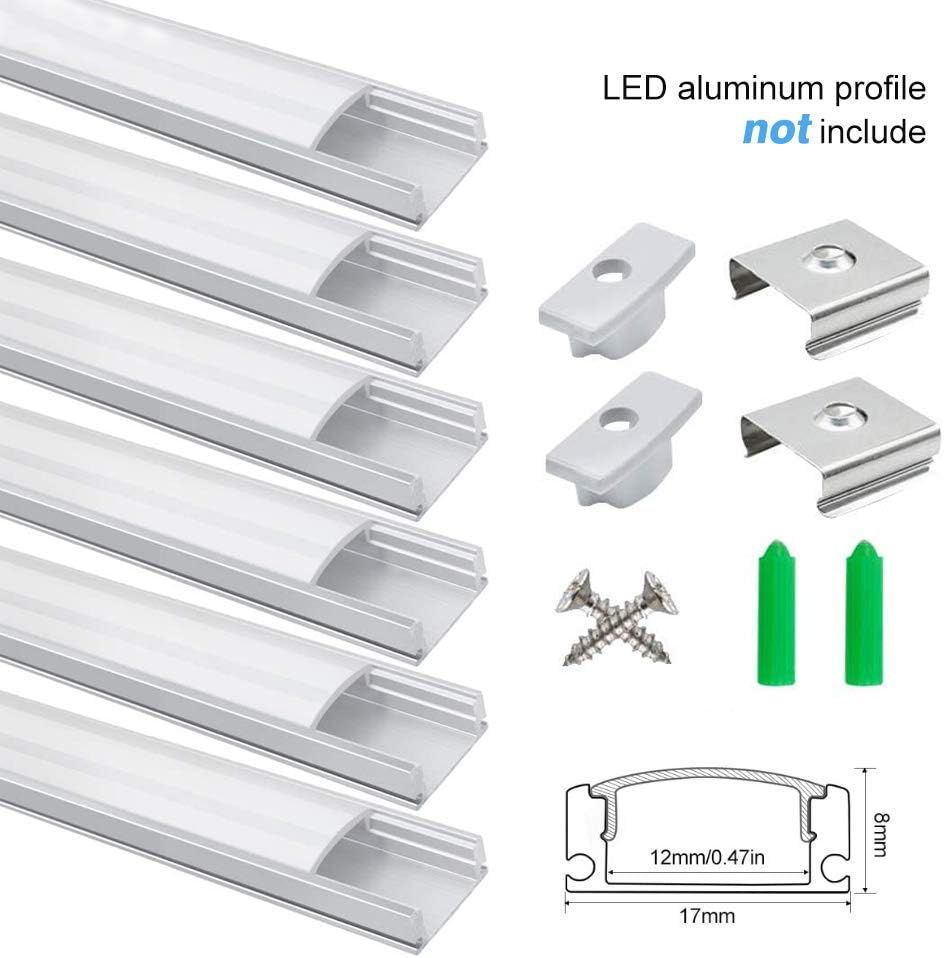
- Designed for U02 Aluminum Channels: This accessory kit is designed for compatible U02 U-shape LED aluminum channels and provides replacement or additional installation hardware for channel projects.
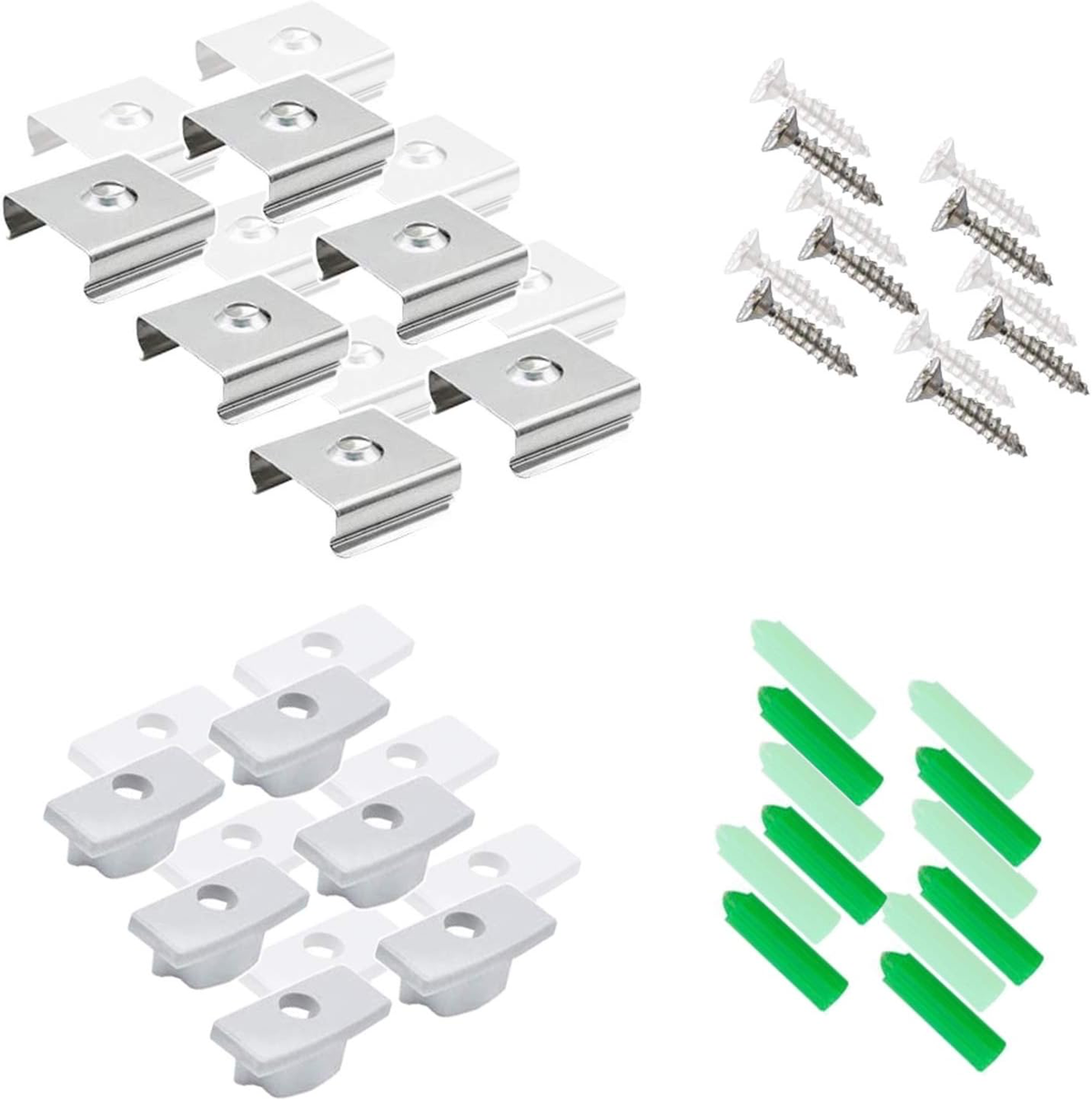
- 6 Pairs of End Caps: The set includes 6 pairs of matching U02 end caps, with one end cap featuring a wire opening and one closed end cap in each pair.
- 12 Mounting Clips: Includes 12 compatible mounting clips for securing U02 aluminum channels to suitable installation surfaces.
- Screws and Expansion Anchors Included: The kit includes 12 screws and 12 expansion anchors, providing the basic mounting hardware required for compatible installations.
- Useful for Replacement or Additional Hardware: Suitable when original end caps, clips, screws, or anchors are lost, damaged, or when additional installation accessories are needed for an existing U02 channel project.
- Complete Matching Accessory Set: All included components are grouped together in one package, making it easier to prepare compatible U02 channel sections for installation.
Specifications
- Compatible Model: U02
- Product Type: LED Aluminum Channel Accessory Kit
- Compatible Channel Type: U-Shape LED Aluminum Channel
- End Caps: 6 Pairs
- End Cap Configuration: 6 with wire hole + 6 closed
- Mounting Clips: 12 PCS
- Screws: 12 PCS
- Expansion Anchors: 12 PCS
- Package: 1 Accessory Set
Compatibility Note: This accessory kit is intended specifically for compatible U02 aluminum channel profiles. Please confirm the model and profile dimensions of your existing channel before ordering, as similar-looking aluminum channels may use different end caps or mounting clips.
Accessory Note: This listing contains installation accessories only. Aluminum channels, diffuser covers, LED strips, power supplies, and controllers are not included.
Applications
This U02 accessory kit is suitable for replacing missing installation hardware or preparing additional compatible U02 channel sections for installation.
- Replacement end caps for U02 channels
- Replacement mounting clips
- Additional installation hardware
- Under-cabinet LED channel installations
- Shelf and display lighting projects
- Furniture-integrated LED lighting
- Closet and wardrobe lighting
- Wall and ceiling accent lighting
- Retail display installations
- DIY U02 LED channel projects
Package Included
1 × U02 Accessory Kit
- 6 Pairs × U02 End Caps
- 6 × End Caps with Wire Hole
- 6 × Closed End Caps
- 12 × Mounting Clips
- 12 × Screws
- 12 × Expansion Anchors
Package Note: One package contains 6 pairs of U02-compatible end caps together with 12 mounting clips, 12 screws, and 12 expansion anchors. The kit is intended as replacement or additional hardware for compatible U02 aluminum channel installations.
Order & Logistics
Lead Time
Ships directly from our headquarters warehouse. Handling time is usually 3–7 business days before dispatch.
Delivery Information
Shipping fees are not included in the product price and will be charged separately based on the actual freight cost.
- Standard Delivery: Approximately 9–18 days after dispatch.
- Express Delivery: Approximately 3–7 days after dispatch.
- Warehouse: Ships directly from our headquarters warehouse.
- Shipping Terms: DDP is available for supported destinations and includes applicable duties, customs clearance, and door-to-door delivery.
If DDP service is unavailable for the destination country or region, we will contact the buyer regarding the available shipping arrangement before proceeding.
Installation
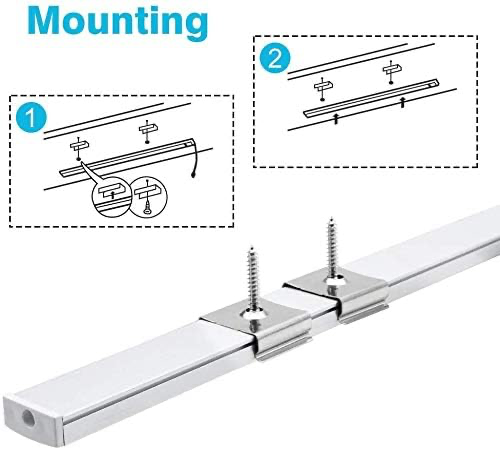
1. Confirm U02 Compatibility
Confirm that the aluminum channel being used is a compatible U02 profile before installation.
2. Position the Mounting Clips
Mark the intended installation positions and distribute the mounting clips along the channel run according to the installation surface and required support.
3. Install the Screws and Anchors
Where appropriate for the mounting surface, install the supplied expansion anchors and secure the mounting clips with the included screws.
4. Install the Aluminum Channel
Press the compatible U02 aluminum channel securely into the installed mounting clips and confirm that the profile is firmly positioned.
5. Install the End Caps
Fit one closed end cap and one end cap with a wire opening to each compatible channel section as required. Use the end cap with the wire opening where the LED strip cable exits the profile.
6. Check the Installation
Confirm that all mounting clips, screws, anchors, and end caps are properly secured before completing the installation.
Installation Note: Mounting requirements vary depending on the installation surface. Confirm that the supplied screws and expansion anchors are suitable for the material and installation conditions before use.